What you just watched is only a short preview. Unlock the full 7 min 39 sec HD video
with a one-time payment. Lifetime access on this device.
₹49· one-time
Tap the button below to see the payment QR code.
Pay ₹49 from any UPI app and copy the UTR / transaction ID.
Paste the UTR on this page and submit it.
Enjoy the video — it unlocks automatically as soon as your payment is approved.
Enjoy .
Scan and pay ₹49
Open any UPI app (GPay, PhonePe, Paytm, BHIM…), scan this QR code and pay ₹49.
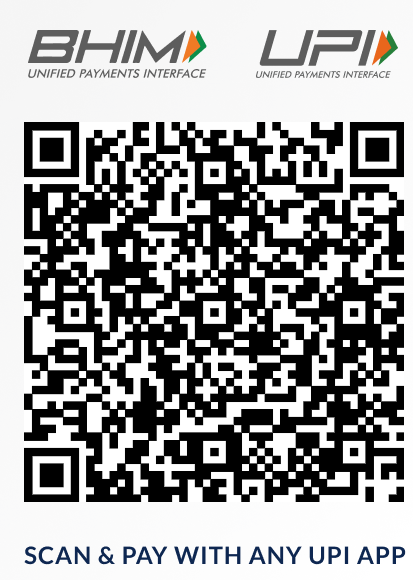
After paying, open your UPI app → transaction history → copy the
UTR / Reference / Transaction ID (usually 12 digits).
Enter your UTR number
Type the UTR / reference number from your payment app so your payment can be verified.
Usually 12 digits.
If you want to also download the video, give your email — the download link will be sent to it.
verifying payment
Payment submitted
Your UTR has been sent for verification. This page keeps checking by itself.
Your UTR—
Amount₹49
StatusPending
Taking longer than usual? Ask the seller to approve your payment, then tap
Check status now again. The seller can also send you a 6 character unlock code.
✔ Payment verified — full video unlocked
Full video · 7:39—
Your access
UTR—
AccessLifetime, this device
Want to download it too?
Give your email if you want to also download the video — the download link is sent to your inbox.
Sending to—
If you want to also download the video, give your email — the download link is sent to your inbox.
Saved. Your download link will be sent to your email.
Unlock with a code
If the seller sent you an unlock code, enter it together with the UTR you paid with. Works even without internet.
Admin access
close
Enter admin PIN
Wrong PIN. Try again.
Admin
local onlyclose
RequestsSettingsHelp
Pending0
Approved0
Collected₹0
Store settings
If filled, buyers also get a button that opens their UPI app with the amount ready.
This key lives only on your devices — it is what lets this panel read every order.
It must match the key inside the setup SQL you ran in Supabase.
How approval works
A buyer scans your QR, pays, and submits the UTR. The order is stored in your own
Supabase project and shows up under Requests on any device where you enter your
admin key. Approve it and the buyer's page unlocks the full video within a few seconds.
Buyers never touch your database directly. They can only create an order and check that
one order, so nobody can list your customers' UTRs or email addresses.
First time setup
Copy the SQL below and run it once in Supabase: SQL Editor → New query → Run.
Nothing else to configure — this page already carries your project URL, and the key above is baked into the SQL you paste.
On your other phones, open this page, long press the logo, and paste the same key in Settings.
Your admin key—
Owner checklist
Make the QR collect the price. The image qr.png is shown exactly as it is, so it must be your own payment QR.
Keep the files together in one folder: index.html, qr.png, sample.mp4 and full video.mp4.
Check every UTR in your bank or UPI app before you approve it.
Send the download link. When a buyer gives an email to also download the video, that address shows on the request — tap Copy email and mail them the link after you approve.
Open this panel by long pressing the logo at the top of the page.
Buyer stuck?
Approving a request produces a 6 character unlock code. Send it to the buyer and they can
unlock with UTR + code, even without a working connection. Orders approved here are saved
in your database permanently.